
Vacation photos can reveal more than the view, so keep trip details and identifying clues out of public posts until you’re home. Knowing how to ensure privacy on your next vacation starts with securing your devices, limiting what you share about your plans, and checking photos for private details before posting.
It’s natural to want to capture a sunlit afternoon by Lake Charlevoix or a stroll through Petoskey and share it with friends. A few thoughtful habits can help you enjoy those memories without exposing your location, personal information, or home routine. This guide covers practical steps to take before you leave and while you travel, from backing up and updating devices to using public Wi-Fi carefully and removing location details from photos. You’ll also learn what to leave out of a picture, so the best parts of your Northern Michigan getaway can stay yours until you’re ready to share.
Key Takeaways
- Before you leave, prepare your devices so a lost phone or unexpected login attempt is less likely to expose your accounts.
- Choose public networks and charging options carefully, and limit the ways nearby devices can connect to yours.
- Keep travel plans and location clues off public posts until you’re home, including details shared automatically by booking platforms.
- Review vacation photos for identifying information before sharing, so memorable views don’t reveal more than you intend.
1. Avoiding shared computers and public USB charging stations
Avoid shared computers in airport lounges, hotel business centers, and cafés when accessing email, banking, or travel accounts. A public session may retain browsing data or login details, even after you close a window. If you must use one, avoid financial transactions, never save a password, sign out of every account, and close the browser before leaving. Keep your own phone or laptop with you rather than setting it down unattended. These are practical first steps for how to ensure privacy on your next vacation.
Public Wi-Fi can expose your connection to snooping, especially on networks without password protection. Turn off automatic Wi-Fi and Bluetooth connections, then select a network you recognize. Be cautious if a sign-in page requests personal information that seems unnecessary. Use a VPN on public networks to encrypt traffic from apps across your device. HTTPS protects browser traffic, but it doesn’t cover every app. When possible, avoid sensitive activity on public Wi-Fi and use a trusted connection instead.
Charge from an electrical outlet with your own power adapter, not a public USB charging station. A USB connection can transfer data as well as power, so an unfamiliar port creates an avoidable risk. Keep file-sharing and printer-sharing features off while traveling, and use a screen filter in busy places. For a Northern Michigan stay, explore vacation rentals across Northern Michigan while keeping account activity on your own devices.
Protect your passport, payment cards, and identity by securing documents and carrying only the cards you need for immediate expenses. Store a backup payment method separately, and consider an RFID-blocking wallet for cards. Use unique passwords for accounts, with a password manager to generate and store them. Enable multi-factor authentication before departure, preferably with an authenticator app, biometrics, or a security key. Knowing how to ensure privacy on your next vacation also means preparing for a lost or stolen device.
2. Avoid sharing travel plans or location on social media
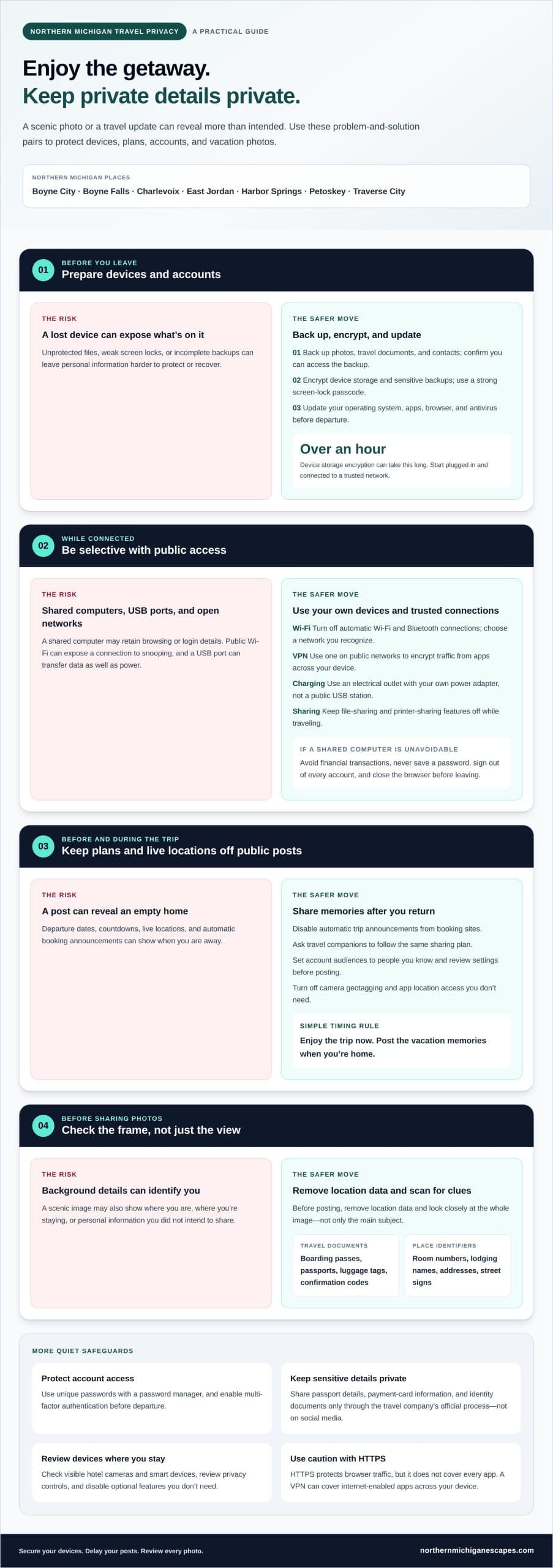
Before leaving Petoskey or Traverse City, avoid posting departure dates, live locations, or countdowns to an empty home. Public updates can make travelers a target for theft, both at home and online. Disable social-sharing options on booking sites if they automatically send trip details to another person’s news feed. Ask travel companions to follow the same plan, especially when their social media accounts are public.
Set each account’s audience to people you know, and review those settings before posting. A private profile can still reveal details through tagged posts, public comments, or software that shares location automatically. Turn off camera geotagging and app location access you don’t need. Before sharing a photo, remove location data and check the background for street signs, lodging names, or other clues that identify where you are.
To protect your home while away, share vacation memories after you return, not in real time. Don’t publish dates that show how long the house will be empty, and disable automatic trip announcements. A strong account password helps protect access, while privacy settings and delayed posts limit what strangers can learn.
For bookings and check-in, provide information only through the travel company’s official process. Don’t post passport details, payment-card information, confirmation codes, or identity documents on social media, and treat unsolicited requests for them cautiously. Any request for details should match the purpose of the booking or check-in.
Privacy and surveillance rules vary by destination, so don’t assume the protections you expect at home apply everywhere. Before traveling, review destination safety information from the United States Department of State and follow local guidance.
Hotel cameras and smart devices deserve a careful look: check visible devices and their privacy controls, and disable optional features you don’t need. Don’t use a device that makes you uncomfortable for private conversations or activities. For photos, leave out room numbers, boarding passes, luggage tags, passports, addresses, and street signs. Those details can disclose more than the scenic view you meant to share.
3. Backing up, encrypting, and updating devices before travel
Before leaving for a Northern Michigan getaway, back up your phone, tablet, and laptop. Include photos, travel documents, and contacts you’d need if a device were lost or stolen. Confirm the backup completed and that you can access the files from another trusted device. Encrypt backups that contain sensitive information, so saved copies don’t become an easy route to private data. Protect the backup account with a unique password and multi-factor authentication.
Turn on device storage encryption before departure. Encrypting storage can take over an hour, so start while your device is plugged in and connected to a trusted network. Set a strong screen lock, too. Choose a passcode that isn’t a birthday, anniversary, or simple number sequence. These steps work together: encryption protects stored files, while the passcode helps prevent someone nearby from opening them.
Update your operating system, apps, browser, and antivirus software before traveling. Install updates over a trusted connection, then restart the device if prompted. Updated software helps address known security weaknesses that could put saved information at risk. Review privacy settings for apps you’ll use on the trip, and remove apps you no longer need. Fewer unnecessary apps mean fewer places holding personal details.
On public Wi-Fi, use websites that begin with HTTPS before signing in or entering payment details. HTTPS encrypts browser traffic between your device and the website, but it doesn’t protect every app on your phone. A VPN can cover internet-enabled apps across the device. Check the site address carefully before entering credit-card information, and stop if the browser warns that its connection isn’t secure. These preparations help keep essential files available while limiting exposure as you travel between Petoskey, Charlevoix, and Traverse City.
On public Wi-Fi, limit browsing to websites using HTTPS encryption. Keep password protection enabled on devices, choose a strong password, and use a strong phone passcode rather than a birthday, anniversary, or simple number sequence.
4. Protecting privacy when sharing vacation photos
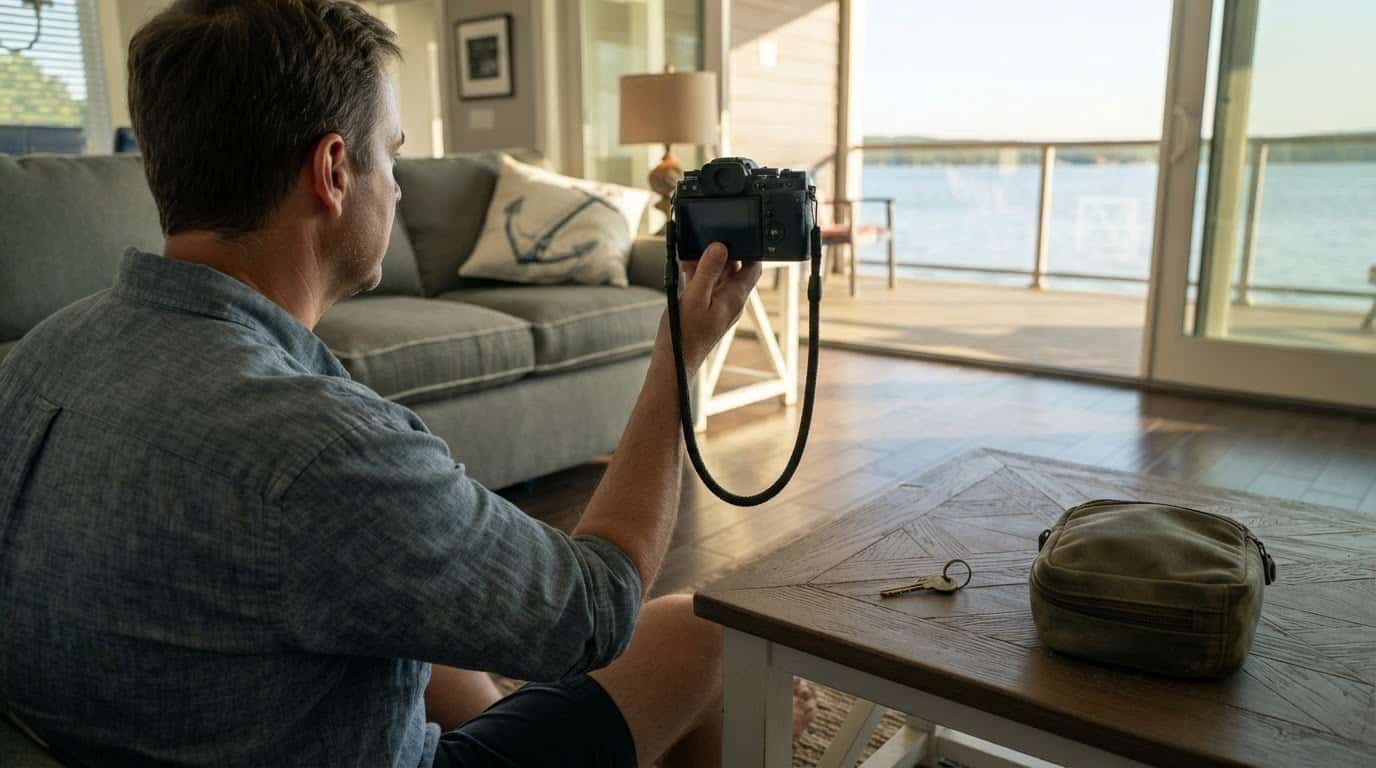
A bright view of Lake Charlevoix can feel like the perfect post, but inspect the whole frame first. Zoom in on reflections, windows, and nearby surfaces for details you didn’t intend to share. A car window might reflect a rental entrance, while a table could show a key, receipt, or travel document. Crop or retake the image if those clues appear.
Look beyond the scenery, too. Photos of new purchases can signal that valuable items may be waiting at home. Save those images for later or keep them off public feeds. Before sharing, consider whether the picture reveals your routine, your companions’ plans, or a recognizable location in real time. Friends may pass a post along, so choose images you’d be comfortable seeing beyond your intended audience.
Rental homes and vacation apps can involve personal details such as booking information, account access, and location. Avoid posting confirmation screens, messages, or images that identify your exact stay; unauthorized account access or a lost device could expose information stored there. Keep booking details within the service’s intended channels, rather than putting them on the open internet.
For a final photo check, pause before tapping share. Look at the background, visible screens, reflections, and anything that identifies a home or purchase. Remove an image if a detail feels too revealing, even if the main subject looks harmless. The best keepsake might stay in your private camera roll until you return, when sharing the view won’t announce that you’re still away.
Treat images of new purchases as a separate decision from ordinary vacation snapshots. Vacationers should avoid posting pictures of new purchases because they can alert burglars that the home may contain valuable items. If an item seems worth celebrating, wait until you’re back before deciding whether to share it; you can remember the occasion without making the purchase visible while you’re away. Choose a different subject for a public post, or keep the image private. This small pause helps keep the focus on the trip rather than on possessions that may be at home.
Northern Michigan Escapes
Northern Michigan Escapes helps travelers plan a Northern Michigan stay, with vacation rental options near Lake Charlevoix and Harbor Springs. These stays offer a base for exploring Charlevoix, Emmett, and Grand Traverse Counties, including Boyne City, Boyne Falls, Charlevoix, East Jordan, Harbor Springs, Petoskey, and Traverse City. The privacy habits in this guide help you manage devices, travel updates, and photos along the way. For homeowners, Real Estate Sales and Acquisitions and Full-Service Property Management support vacation property needs in the region. Whether planning a getaway or considering a property, Northern Michigan Escapes can help with next steps. Contact Northern Michigan Escapes to talk about your plans.
Make room for a more private getaway
Privacy is deciding what you share, when you share it, and what stays personal. Make those choices part of your travel routine, from before you leave home to quiet mornings by the water and evenings exploring Northern Michigan. A useful approach to ensuring privacy on your next vacation is to plan ahead.
Northern Michigan Escapes offers luxury vacation rentals across Charlevoix, Emmett, and Grand Traverse Counties, including Boyne City, Boyne Falls, Charlevoix, East Jordan, Harbor Springs, Petoskey, and Traverse City. Homeowners can explore Real Estate Sales and Acquisitions. Choose a getaway that suits your plans and keep memories on your terms.
Contact Northern Michigan Escapes to plan your Northern Michigan escape. Share the best moments just the way you want.
Frequently Asked Questions
How can you secure your phone and devices before traveling?
Prepare for loss by enabling your phone’s remote lock or wipe feature before departure, then learn where to activate it from another device. Hide message previews on the lock screen so notifications don’t display private details to someone nearby. Review account recovery options, too, and make sure you can access them without the device you’re carrying.
Is it safe to use public Wi-Fi while traveling, and how can you protect your data?
Public Wi-Fi is convenient, but avoid using it for sensitive tasks such as changing passwords or managing bank accounts. Use cellular data for those activities when available, and save routine browsing for the public connection. If you receive an unexpected account alert while connected, don’t follow its links; switch to a trusted connection and open the service’s app directly.